

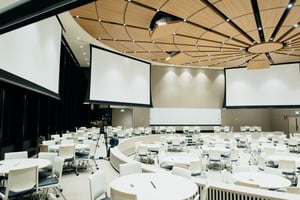
Conference rooms, lecture halls, airport terminals, and hospital spaces all depend on audio and video that works the moment someone walks in. Most new commercial AV systems now move that audio and video across a network instead of dedicated cable runs. This guide explains how AV over IP works, what an AV control system does, how to plan an AV project before installation, and how KR Wolfe has put these systems to work.
What Is AV Over IP?
AV over IP sends audio and video signals across a standard Ethernet network. An encoder at each source, such as a laptop input, camera, or media player, converts the signal into network data. A managed network switch carries that data to decoders at each display or speaker, which convert it back to audio and video.
Because every source and every display sits on the same network, any source can reach any display. Adding a room or a display means adding an encoder or decoder and a network port, not replacing a central switcher.
How AV Over IP Compares to Traditional AV Switching
Traditional AV systems run a dedicated cable from each source to a central matrix switcher, then out to each display. The switcher’s port count caps how many sources and displays the system supports, and cable length limits how far apart they sit.
AV over IP removes both limits. Signals travel as far as the network reaches, and the system grows one endpoint at a time. That flexibility suits buildings where rooms change use, displays move, or a single source needs to reach many screens at once.
KR Wolfe used this approach at Juniper Networks in the San Jose area. Working with AVI-SPL, the KR Wolfe team installed SVSI encoder and decoder components that route video over the network to large displays and projection systems across the upgraded conference rooms.
What an AV Control System Does
An AV control system gives one interface command of every device in a room. From a touch panel, keypad, or tablet, a user starts a video call, picks the source for each display, adjusts room audio, and dims the lights. Behind the panel, a programmed controller sends commands to the displays, switchers, cameras, audio processors, and lighting controls.
Programming decides how simple the room feels. A well-programmed system turns a meeting setup into one button. The Juniper conference rooms put this into practice: an iPad at each room shows meetings and times and controls the room’s audio and video sources.
What AV Integration Covers
AV over IP and control systems are two parts of AV integration, the work that connects displays, cameras, microphones, speakers, controllers, and the network so they run as one system. Integration covers design review, signal routing, programming, testing, and support after handoff. KR Wolfe’s commercial audio visual installation and integration services cover the full scope, from cable pulling and rack building to commissioning and acceptance testing.
Planning an AV project across one building or several? Talk to the KR Wolfe AV integration team.
How to Plan an AV Project Before Installation
The decisions a facility team makes before installation shape the schedule and the result. Settle these early:
- How each room will be used, and how many people will use it at once
- Network readiness, including managed switches and a plan with IT for AV over IP traffic
- Power and data locations at every display, camera, and control panel
- Wall backing and ceiling access for mounted displays, speakers, and projectors
- Work hours that fit the building’s occupancy
A site survey confirms these conditions against the system drawings before equipment arrives, so crews do not stop work to solve a missing data drop or an unsupported wall.
AV Integration in Occupied Facilities
Most commercial AV work happens in buildings that stay open. Offices keep working, classrooms keep teaching, and terminals keep boarding flights. Low-voltage work in an active facility needs a schedule built around the people inside, protected work areas, and cleanup at the end of every shift.
At Los Angeles International Airport, KR Wolfe replaced outdated flight information displays with integrated video wall solutions, reinforced the structural supports, and completed the work overnight to avoid disrupting the terminal. The attention to detail healthcare facilities demand carries into KR Wolfe’s AV work in education, government, and corporate spaces. For large-format displays, KR Wolfe’s video wall installation team handles the structural work before the displays go up.
KR Wolfe AV Integration Projects
At LAX Terminal 2, KR Wolfe partnered with SITA, a global air transport IT specialist, to remove existing displays and install 20 new 55-inch Samsung displays for American and Alaska Airlines, with a digital signage PC behind each display. Each workstation was imaged and tested with the new equipment in place. KR Wolfe's digital signage installers handle lobby screens, kiosks, and wayfinding displays for single sites and multi-site rollouts.
At the University of St. Augustine, KR Wolfe upgraded communication systems in existing smart classrooms, integrated new lecture facilities, and built a multi-room simulation lab that records video and voice of training sessions and broadcasts them live to other university locations.
At the University of Alabama, KR Wolfe completed multiple integrated classrooms and a high-tech auditorium with audio, video, and teleconferencing. For more on campus projects, read KR Wolfe’s article on AV in education.
Key Takeaways
- AV over IP sends audio and video across a standard network, so any source can reach any display.
- AV over IP systems grow one encoder or decoder at a time, without replacing a central switcher.
- An AV control system runs every device in a room from one touch panel, keypad, or tablet.
- Network readiness, power and data locations, and wall backing belong in the plan before installation starts.
- KR Wolfe replaced flight information displays at LAX overnight without disrupting the terminal.
KR Wolfe has supported healthcare, government, education, and corporate facilities since 2007, with AV installation technicians working nationwide. Contact the KR Wolfe team to scope your next AV integration project.
AV Over IP and AV Integration FAQs
What Equipment Does an AV Over IP System Need?
An AV over IP system needs an encoder at each source, a decoder at each display or speaker, a managed network switch to carry the signals, and a control system to route sources to displays.
Can AV Over IP Run on an Existing Office Network?
AV over IP can share network infrastructure, but video traffic needs managed switches configured for it. Many facilities run AV on a dedicated network or a separate VLAN so video does not compete with office traffic. Plan the approach with IT before installation.
What Does an AV Control System Control?
An AV control system commands displays, projectors, video switchers, cameras, microphones, audio processors, and lighting controls, all from one touch panel, keypad, or tablet.
Can AV Installation Happen While a Building Is Occupied?
Yes. Crews schedule work around the facility’s operations, including overnight and weekend shifts, protect work areas, and clean up at the end of each shift. At LAX, KR Wolfe completed a display replacement overnight to avoid disrupting the terminal.